Rejected or demonetized?

YouTube Monetization Appeal Service.

Got the "reused content", "inauthentic content" or "spam" email from YouTube? Send us your channel. We find what the reviewers are flagging, tell you exactly what to fix, and write the appeal with you. Start with a free audit.

Get a free channel audit →

Start here

Free channel audit

$0 no card
  • We review your public channel against YouTube's reused and inauthentic content rules
  • The likely reason for the rejection, in plain English
  • Whether an appeal or a reapply makes more sense
Get my free audit →
Do it yourself

DIY Fix + Appeal Kit

$49 one-time
  • Full audit with a video-by-video list: keep, edit or make private
  • A written appeal video script tailored to your channel
  • Step-by-step guide: recording, uploading unlisted and submitting in YouTube Studio
  • Checklist so your next uploads pass review
Get the kit →
Most chosen

Done-for-you fix + appeal

$99 one-time
  • Everything in the kit
  • We write the complete fix plan and the appeal script for you
  • We review your appeal video before you submit it
  • Support by email until YouTube replies (usually within 14 days)
Get it done for me →

Only YouTube decides appeals, so nobody can guarantee approval. We never ask for your password; the appeal is submitted from your own account.

We never ask for your password or channel access. You stay in control of your channel and your appeal.

Which problems we help with

YouTube's reasonWhat it usually meansGuide
Reused contentMost videos repurpose other people's clips without enough of your own commentary or editingReused content guide
Inauthentic contentMass-produced or template-made videos, including generic AI videos and slideshowsInauthentic content guide
AI-generated videosAI is allowed, but generic, repetitive AI uploads are not monetizedAI monetization rules
Spam / invalid trafficMisleading metadata, bought views or traffic that is not from real viewersSpam and invalid traffic
Demonetized or terminatedThe channel was removed from the program or from YouTubeDemonetized · Terminated

How it works

  1. Send your channel. Use the form above with the reason from YouTube's email and the date you got it.
  2. Get the audit. We reply by email, usually within a few hours, with what we think the reviewers saw and whether to appeal or reapply.
  3. Fix the channel. With the kit or the done-for-you plan you know exactly which videos to edit or make private and what to upload next.
  4. Record and submit the appeal. An unlisted video under 5 minutes, uploaded to your channel, with your channel URL in the first 30 seconds, submitted from YouTube Studio → Earn. See how to make a YouTube appeal video.

What you are aiming for

This is YouTube's Partner Program approval email, from one of our own channels (name blurred). Every fix plan we write is built around getting your channel to this email.
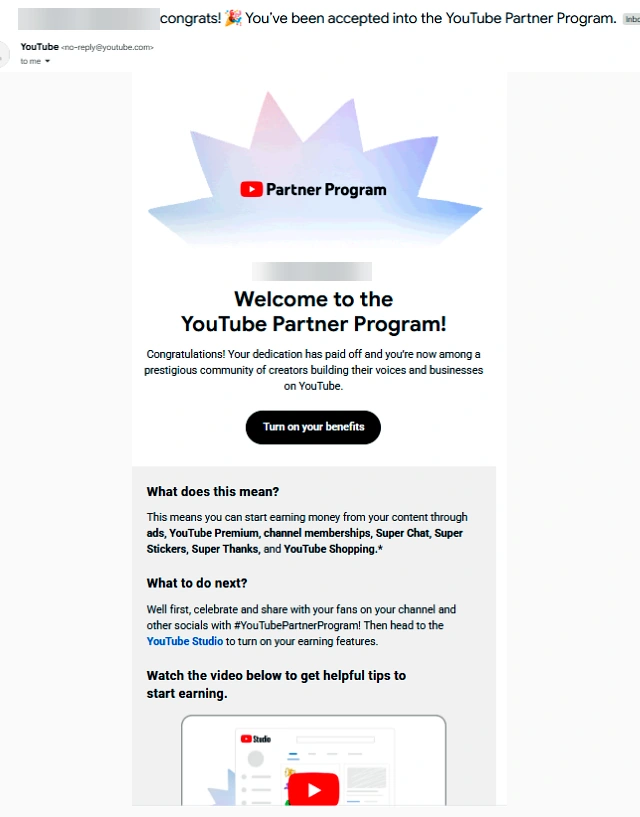
YouTube Partner Program approval email: Welcome to the YouTube Partner Program

YouTube's appeal deadlines

SituationDeadline or wait
Application rejectedAppeal within 21 days
Suspension scheduledAppeal within 7 days before the date (pauses it), or within 21 days after
Answer from YouTubeWithin 14 days; if approved, re-admitted within 30 days
First rejection, no appealReapply after 30 days
Appeal rejected or later rejectionsReapply after 90 days

Sources: YouTube Help, support.google.com/youtube/answer/9564590 and support.google.com/youtube/answer/9235730, checked November 2026.

Don't want to wait 14 to 90 days?

An appeal can take weeks and a reapply up to 90 days, with no guarantee at the end. If you want to earn from ads now, start on a channel that is already in the YouTube Partner Program: organic subscribers, no strikes, moved to your own Gmail in 12–24 hours. See monetized YouTube channels →

Frequently asked questions

Can you guarantee my appeal will be approved?

No, and nobody honestly can. Only YouTube's reviewers decide. What we do is find what the reviewers are likely to see as reused or inauthentic, give you a clear plan to fix it, and help you present the channel as it really is. Be careful with anyone who promises a guaranteed approval.

How long do I have to appeal?

YouTube lets you appeal a rejected application within 21 days, however many times you have applied. If your channel is being suspended, you can appeal within 7 days before the suspension date (this pauses it) or within 21 days after. YouTube says it replies within 14 days.

What happens if the appeal is rejected?

You can reapply to the YouTube Partner Program 90 days after the suspension or rejection date. After a first rejection without an appeal, the wait is 30 days. Use that time to fix the channel so the next review goes better.

Do you need my password or access to my channel?

No. We only need your public channel link. The appeal video must be uploaded from your own account, so you stay in control the whole time.

What is the difference between the $49 kit and the $99 service?

The $49 kit is do-it-yourself: you get the audit, a list of which videos to fix or make private, a written appeal script you record yourself and a step-by-step guide. The $99 service is done for you as far as YouTube allows: we write the full plan and script, review your appeal video before you submit it and stay with you until YouTube replies.

Should I delete videos before appealing?

YouTube says not to delete videos before submitting an appeal, because the channel is reviewed as it is now. In many cases making problem videos private is safer than deleting them. The audit tells you which ones.

I can't wait for an appeal. Is there a faster way?

If you need ad revenue now, a channel that is already in the YouTube Partner Program lets you earn from your first upload. See our monetized YouTube channels.

More help